Outlook, in your AI tools
Give your AI agent direct access to Outlook. Send, search, and manage email and calendar without leaving your workflow.
$5 one-time · No subscription · Full refund anytime
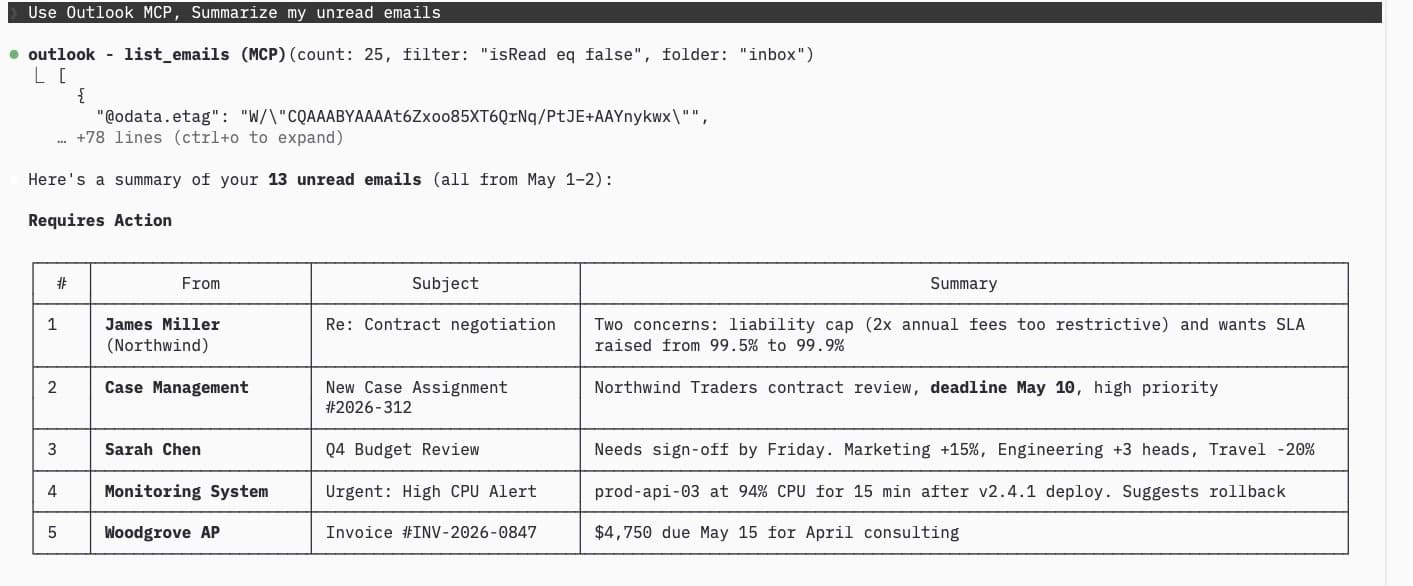
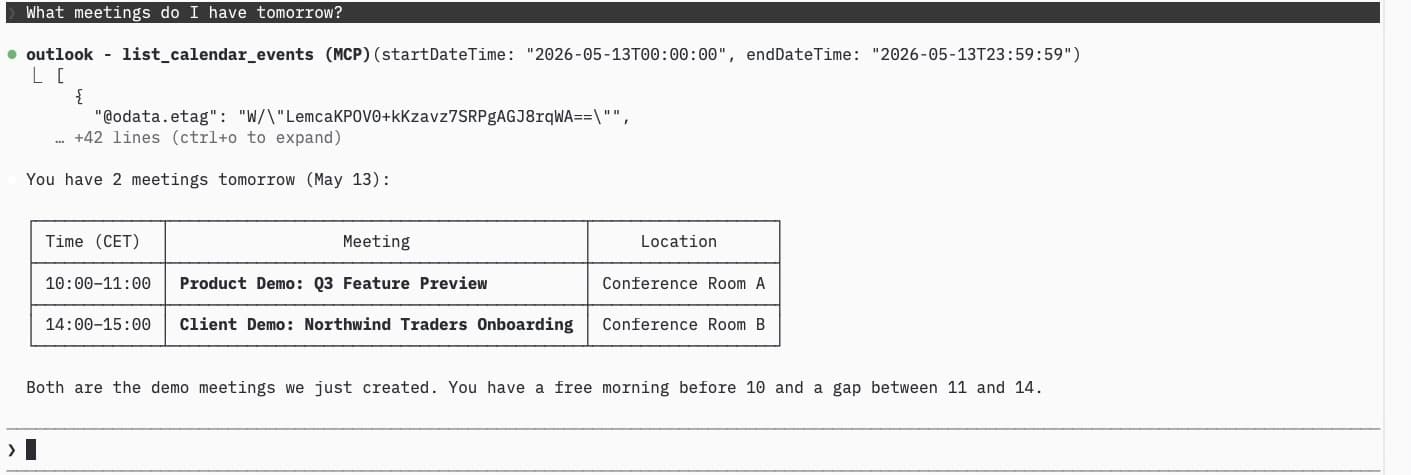
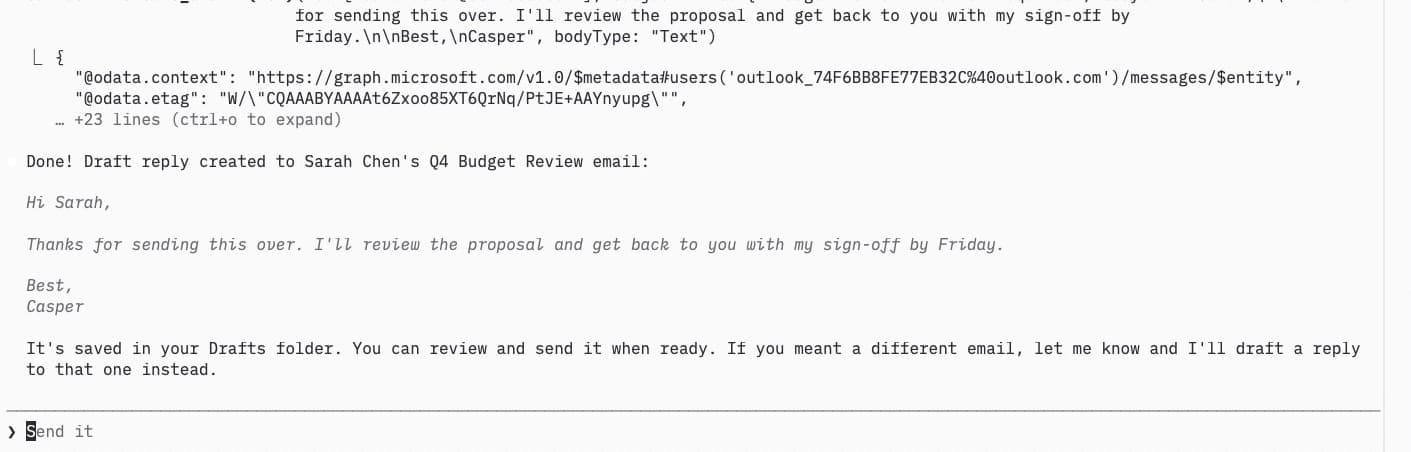
Everything you need
37 tools covering email, calendar, and contacts. Full control over your Outlook from any AI assistant.
Read, send, reply, forward, search, flag, categorize, and organize your inbox.
Calendar
View events, create meetings, RSVP to invitations, and manage multiple calendars.
Contacts
Search, create, update, and manage your Outlook address book.
Auto-Reply
Set and manage out-of-office replies with scheduled start and end times.
Focused Inbox
Control which senders go to Focused or Other. View and manage inbox rules.
Secure
OAuth 2.0 with encrypted token storage. Your credentials never touch disk.
Up and running in minutes
Three steps to connect your Outlook to AI.
Purchase & Get API Key
Pay once, sign in with Microsoft, and receive your personal API key instantly.
Add the config
Paste the MCP config into your AI tool with your API key. Takes 30 seconds.
Ask your AI
"Check my inbox", "Send a reply", "Schedule a meeting for tomorrow at 2pm"
Add to your AI tool
Run in your terminal:
claude mcp add outlook -s user -e OUTLOOK_MCP_API_KEY=<your-api-key> -- npx -y @paytience/outlook-mcp@latest
Add to ~/.claude.json:
{"mcpServers": {"outlook": {"command": "npx","args": ["-y", "@paytience/outlook-mcp@latest"],"env": {"OUTLOOK_MCP_API_KEY": "<your-api-key>"}}}}
Built for security
Outlook MCP is a Model Context Protocol server that lets your AI agent control Microsoft Outlook. Connect any MCP client to read, send, and organize emails, schedule meetings, and manage contacts across personal and enterprise Microsoft 365 accounts.